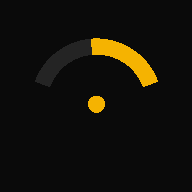
Live slip angle
Drift angle (an estimate), speed and G: the motion sensors read 60 times a second, the GPS once, big enough to see from the corner of your eye. A run starts by itself when you roll.
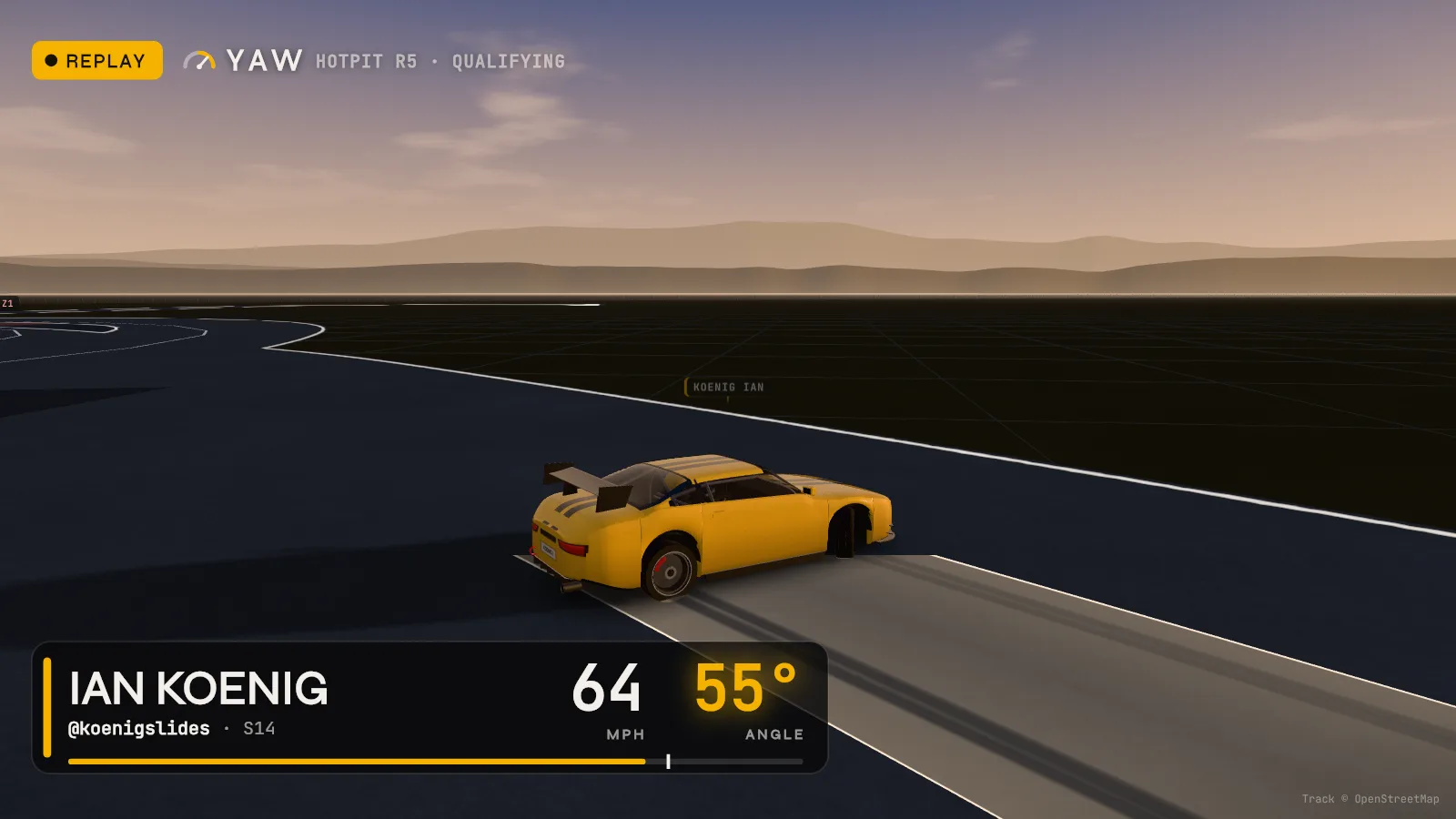
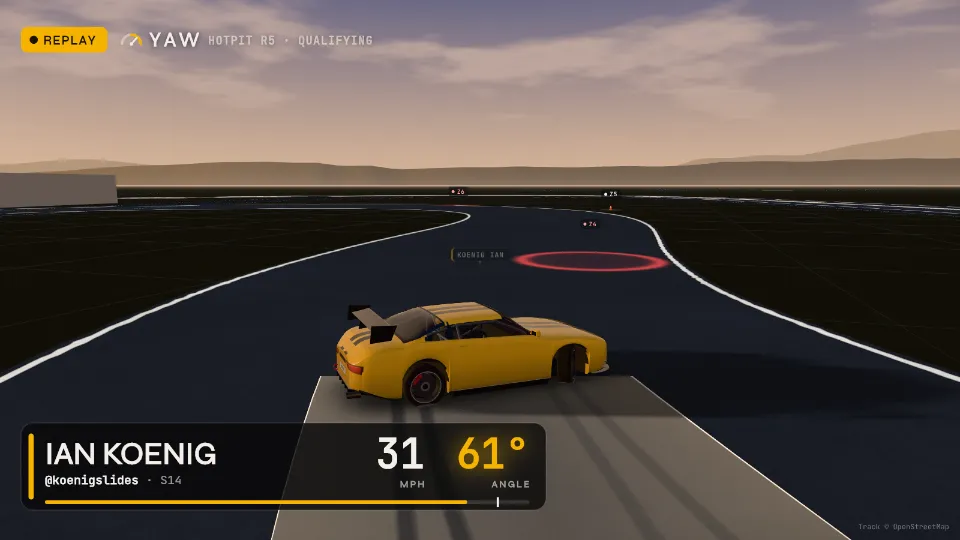
Ian's qualifying run, 10 to 18 seconds in, rebuilt by YAW from his phone alone, with the speed and angle overlay YAW lays over any video of a run. The car is YAW's stand-in.
The phone on your dash, turned into drift telemetry: your angle live, a score when you stop, and one line on what to fix next lap. Free, no account, and it works with no signal.
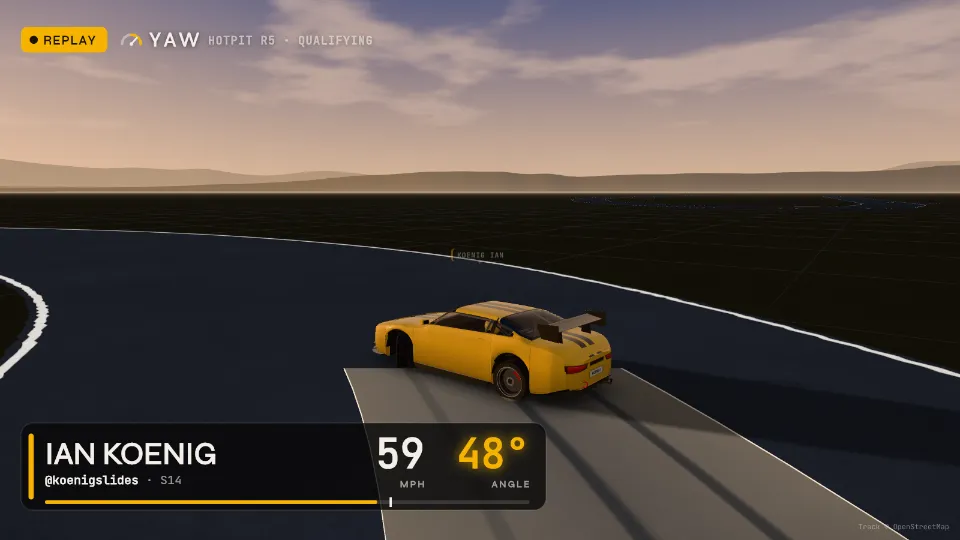
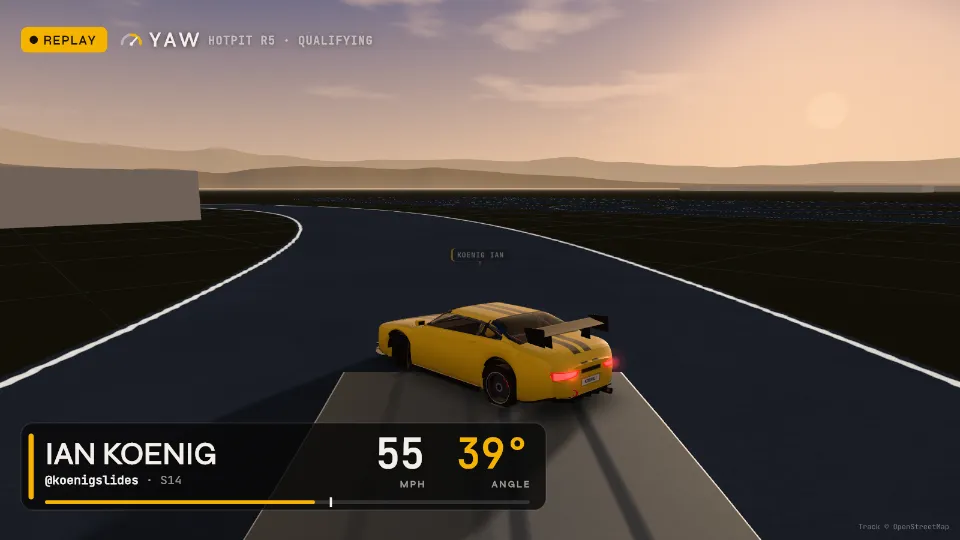
HOTPIT Autofest Round 5 at the Bullring, Las Vegas, 16–17 Oct 2026. Ian ran YAW in his S14 through practice and his one qualifying run, with nobody touching the phone. Three more moments of that run, as YAW read it:
Between laps you've got ten seconds, not ten minutes. So when the car stops, YAW leads with this:
In the zones it stays quiet: one short call after the last zone names the worst. Everything else is one tap down: every zone's line and angle, the map, the 3D replay, your best lap laid over this one.
That's one run. Here's the rest of the day YAW takes care of.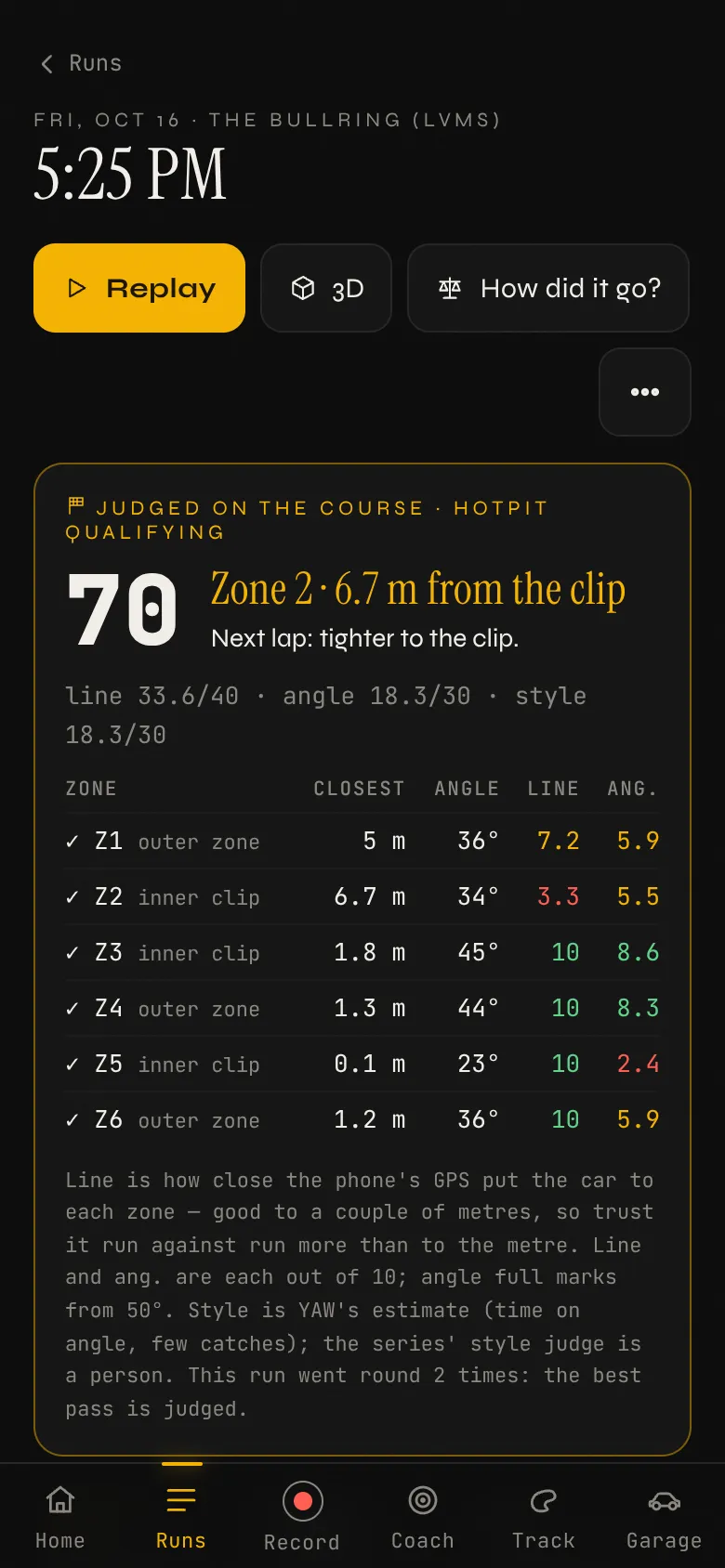
All built, all on the phone you already carry: the headline of each, and the rest a tap away.
The phone on the dash is the sensor. The work is reading it truthfully.
Drift angle (an estimate), speed and G: the motion sensors read 60 times a second, the GPS once, big enough to see from the corner of your eye. A run starts by itself when you roll.
Film a run from a still camera, tap the car's real angle frame by frame, and see YAW's reading beside it. Tried on test video so far; the first real check is at the next practice.
A phone's GPS says where you were a second or two ago. YAW learns that delay for each phone, and how the phone is mounted, and takes both out.
Some phones send their rotation in a different order. YAW works it out from the drive and remembers it for that phone; older runs are re-read in one tap. More phones still need checking.
Opens and records with no signal. A run survives the app being closed. A 30-second check tells you it's all working before you roll out.
After every run, the one thing to fix. Not a wall of numbers.
The score, the zone that cost the most and what to do next lap, first on the screen and said out loud when the run saves.
Line, angle and style on the course's zones, weighted like HOTPIT or Formula DRIFT, against your own best run at that track.
Each zone read against the line the field drove. Quiet while you're in the zones, then one call after the last: “Two. Wide.”
Tag the run that counted, add the judges' scores, and see YAW's read of it next to theirs.
Every run rebuilt in 3D with your own car, paint and number, and two laps laid over each other corner by corner.
One phone starts an event. Everything after that can run on YAW.
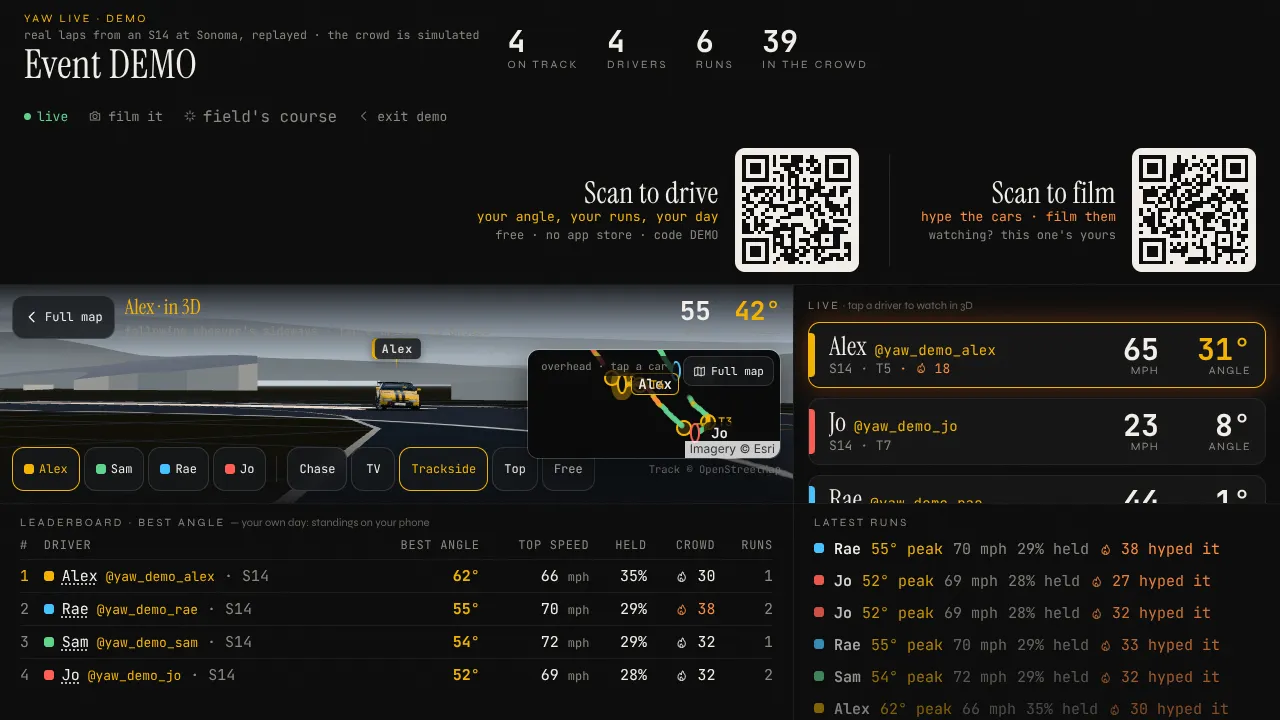
Start an event on any phone and open it on a TV. Drivers join by QR code, and every car shows live on the map with boards you can read across the tent.
Judges score every run on a tablet. The scores land on the big screen, the results and each driver's phone as they're given.
Every battle in 3D from the laps the event keeps: who led, how close the chase stayed and how much angle it held.
The zones are found from the laps everyone drives, and each track remembers its course for every phone that goes there.
Seeded from qualifying, battles called by the judges' votes, and every battle run tagged by itself.
Pick the lead car on the event. The chase phone measures the gap, how close it stayed and how well it matched the angle.
The crew sends a note that's read out after the run. A clip filmed from the stands lands on the driver's run page.
Every run is content. YAW cuts it for you.
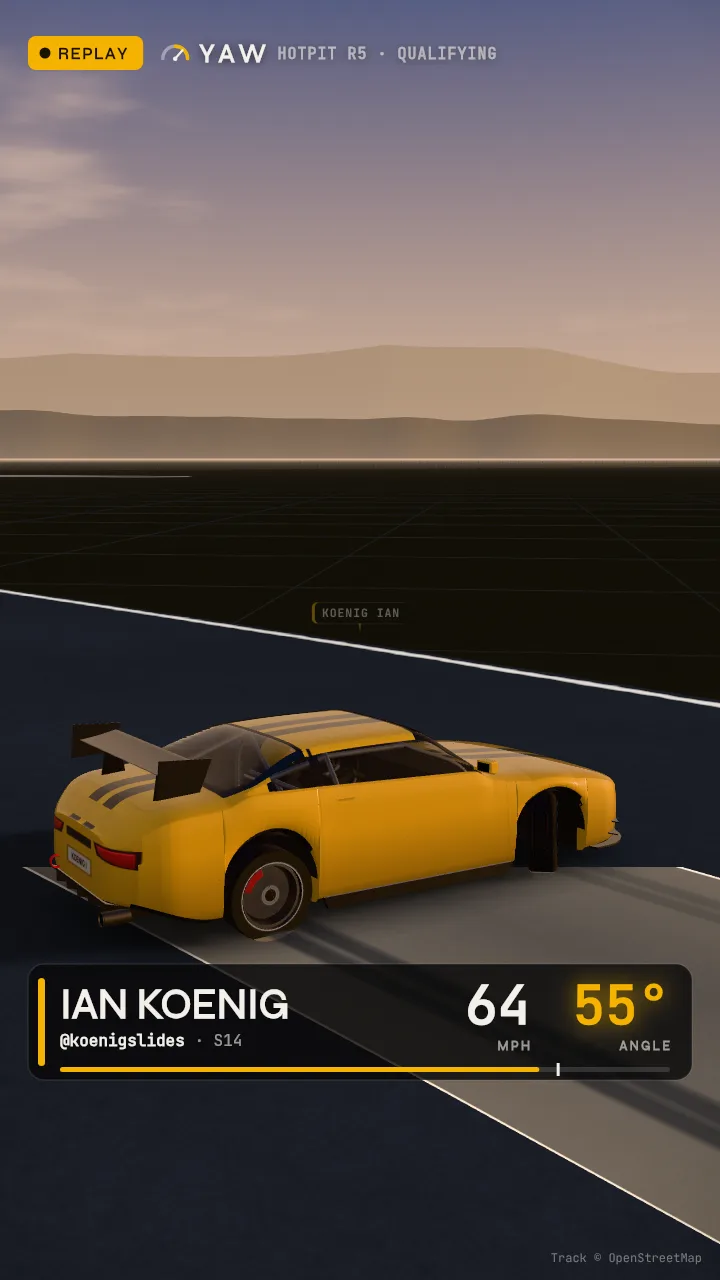
Anyone's camera, with the car's name, speed and angle burned into the video. The crowd taps to hype the car on track.
The day's best moments cut into one 9:16 video on the phone, ready to post.
Live numbers over an event's stream, and a commentator's screen with the storylines of the day.
A picture of your day to post, the month's leaderboard and your own driver page.
Start an event from any phone, and the pit, the stands and the driver all see the same day.
The event's live map on any phone or laptop in the pit.
Sent from the event's organizer screen, read out to the driver when the run ends.
Filmed on YAW Cam at the event and sent to the driver's run page.
Two phones, two cars: the gap and how close the chase stayed, every pass.
The reel, the recap picture and YAW Cam video, with the driver's handle on every one.
What we're shipping and testing over the next four weeks, soonest first.
Out to everyone on 18 Oct (v129): the gyro fix, the sharing fix, the one-line read, and runs put on the course's route. v130 re-reads a phone's older runs in one tap.
A real domain before strangers install. Moving is built: runs and set-up come across in one tap.
Ian and the test drivers get the App Store build first. The app is set up in the code (v124); Xcode, Apple's developer account and signing on the Mac are next.
One tap before the number, so you read your own feel first. Then why the second lap dropped: on Friday it dropped about 14 points an outing, part of that the GPS (being checked).
YAW tried on more iPhones and Androids, and a phone on a tripod at the next practice for the first real angle-against-video figure.
An open practice day with 8 or more drivers, most of them new to us. YAW runs the big screen and the results sheet, and counts who goes out again. The date is the next day Ian enters.
Written 18 Oct 2026 for the month to 18 Nov. Dates are targets; safety and the angle come first, so nothing ships on a day Ian is at the track.
The first open day is next, and you can be on it.Scan the code. iPhone: Safari → Share → Add to Home Screen. Android: Chrome → Install app.
Mount the phone solid, run Check, then Start session. Auto-record does the rest.
After your first outing, tell us what YAW said to fix, in your own words. That's how we know the read works.
The first open drift day on YAW is in the next few weeks. Tell us you're in and we'll send the date.
The privacy page · YAW measures what you do; it doesn't make it safe. Drift at events and on closed courses, within your limits and the organiser's rules, and never touch the phone while the car is moving.